WORKFLOW · ILLUSTRATOR TO LOTTIE

Your layers,
straight to Lottie.

The usual road from Illustrator to Lottie goes through After Effects: import the file, convert the layers to shapes, keyframe everything, install Bodymovin, export. Ilo Animation skips the detour. Your Illustrator layers are the timeline, and Lottie comes out of the same window.

01 — TWO WAYS IN

Inside Illustrator, or in the browser.
Same engine, same exports.

IN ILLUSTRATOR

The panel reads your document

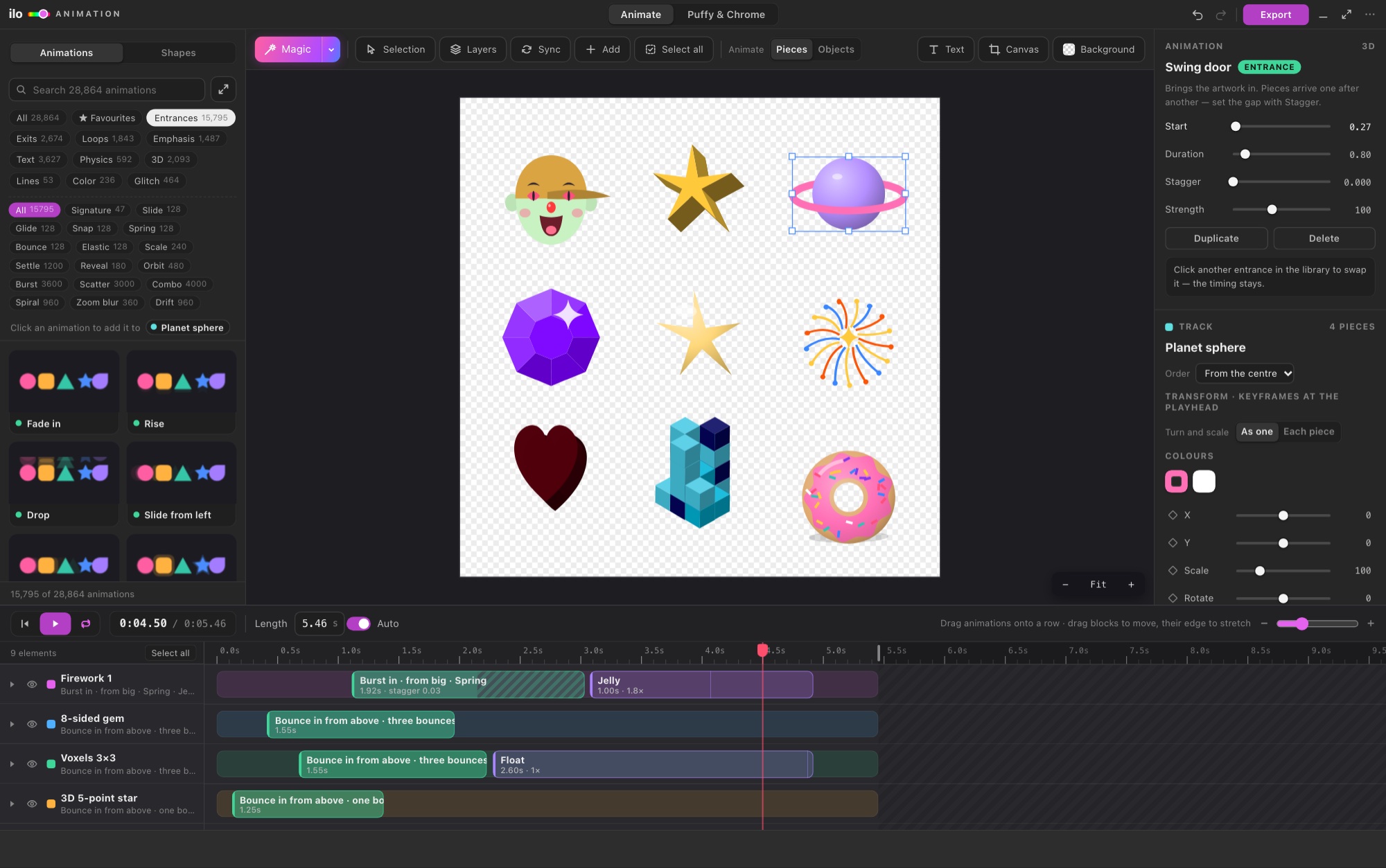
Open Window › Extensions › Ilo Animation with your document open. Every object on your visible layers becomes a row, named as in the Layers panel; a group or sublayer is one row. Change the art in Illustrator, come back, and every row keeps its animation. Illustrator 2023 or newer, Mac and Windows.
IN THE BROWSER

Upload the .ai file

No Illustrator on this computer? Open ilotools.com/app and upload the .ai. Files saved with Create PDF Compatible File (Illustrator's default) open directly; for anything else, export an SVG from Illustrator and open that.

The Ilo Animation window inside Adobe Illustrator: library, stage, inspector and timeline

02 — FROM LAYERS TO A FILE

What you actually do.

  1. 01

    Pick what moves

    Layers opens your whole Layers panel: tick what goes into the animation. Animate: Pieces lets every letter and shape move on its own; Objects keeps each object whole.

  2. 02

    Magic, then your hands

    One click gives every element a move that suits it. Then drag blocks on the timeline, change durations, add keyframes for move, scale, rotate and opacity, with real easing.

  3. 03

    Export

    Export › Lottie writes the JSON. The same animation also exports as animated SVG, GIF, MP4 or WebM, and everything but MP4 can be transparent.

03 — QUESTIONS

Good to know.

Is this a replacement for After Effects?

For logo reveals, icons, social posts and website animations, yes. Keep After Effects for compositing, footage, 3D cameras and long motion pieces. The honest comparison.

Does the panel slow Illustrator down?

No. Ilo Animation does nothing in the background: it reads your document when you click in its window, and only again if the document changed. It never opens documents of its own.

Do gradients and strokes survive?

Yes. Fills, strokes, linear and radial gradients are written as vector shape layers, and lines that draw themselves become trim paths. Letters are exported as shapes, so no font is needed to play the file.

Can my developer use the file?

Yes. It is a standard Lottie JSON for lottie-web, iOS and Android, and it opens in LottieFiles too.

What does it cost?

5 days free with every feature and no card, then a plan of your choice on the pricing page. The same Ilo Animation key works in the Illustrator panel and in the online app.

Make your design
move.