Shapes stay vectors
Fills, strokes and both linear and radial gradients are written as Lottie shape layers, so the file stays sharp at any size.
WORKFLOW · SVG TO LOTTIE
A static SVG has everything a Lottie needs except the motion. Ilo Animation adds the motion in your browser: every shape and letter of the file gets its own move, and the result downloads as a Lottie JSON that plays on websites, iOS and Android.
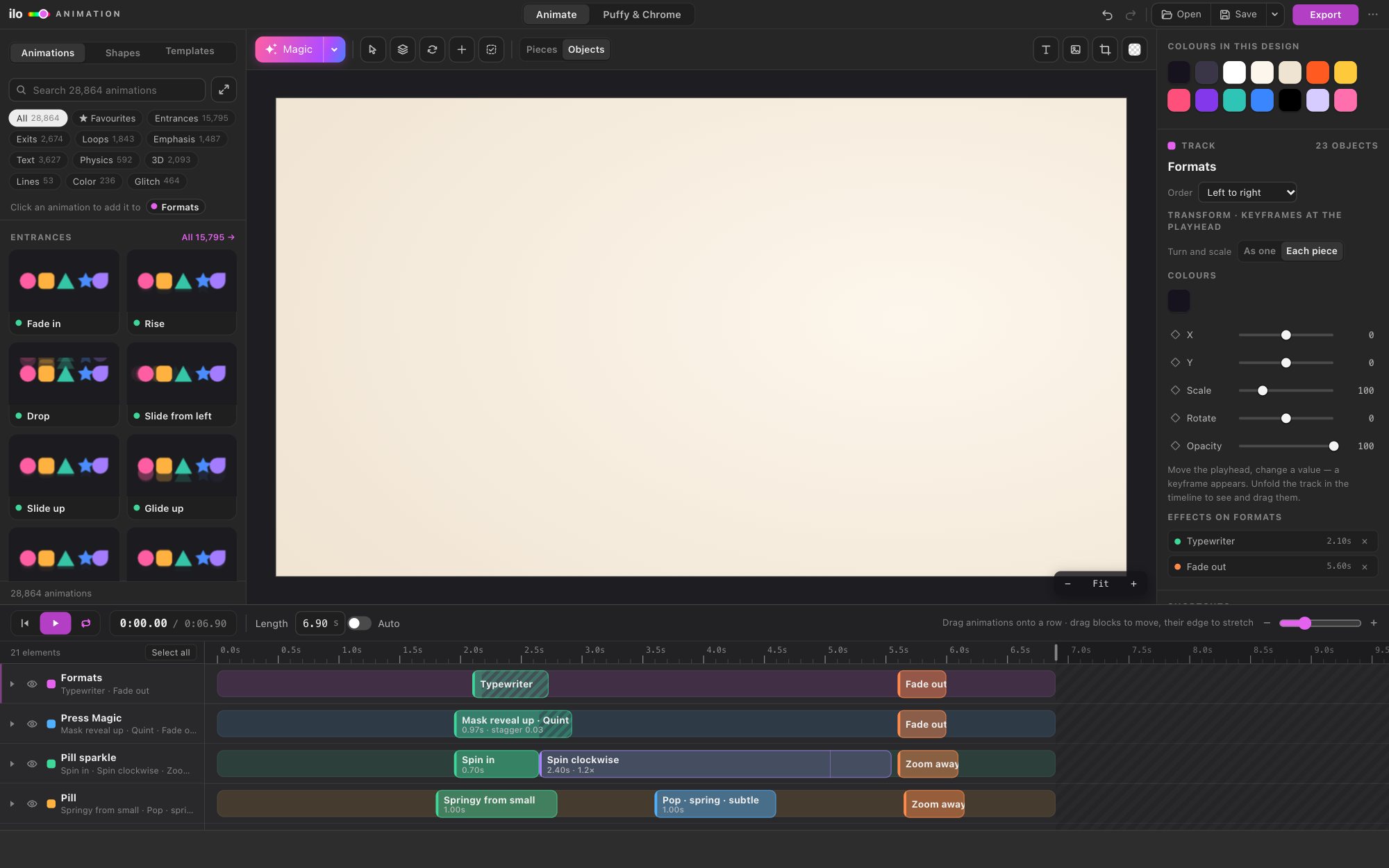
01 — HOW IT WORKS
Go to ilotools.com/app and press Open SVG, AI or PNG…, or drop the file on the stage. Every group in the SVG becomes its own row on the timeline, and drop several files to get several layers.
Magic reads the design: the biggest text comes in letter by letter, outlines draw themselves, shapes come in from the edge they sit nearest to. Press it again for a different take, or pick moves from 28,864 animations in the library.
Press Export and choose Lottie. Pick 24, 30 or 60 frames a second and a transparent or solid background, and the .json downloads.
02 — WHAT COMES THROUGH
Fills, strokes and both linear and radial gradients are written as Lottie shape layers, so the file stays sharp at any size.
Letters are exported as vector shapes, so the animation looks the same on a phone that does not have your font.
Outlines that draw themselves become Lottie trim paths, the same thing After Effects would make.
Mask reveals, where letters rise from behind a line, export as Lottie masks.
A PNG or JPEG in the design is embedded in the JSON as an image asset, so it travels in one file.
Springs, bounces and overshoots are baked into keyframes, so every Lottie player shows exactly what you saw on the stage.
03 — QUESTIONS
No. The Lottie file is written by Ilo Animation itself, in the browser or inside Illustrator. Nothing else to install.
The standard Lottie players: lottie-web on websites, and the Lottie libraries for iOS and Android. You can also open it in LottieFiles to check it or share it with a developer.
Yes. Any SVG with paths, groups and gradients opens. Groups you named in your design tool keep their names as rows on the timeline.
Yes: animated SVG (one small file, no player needed), GIF, MP4 and WebM (GIF and WebM can be transparent). See SVG to GIF and MP4.
The app opens for free. Exporting starts a 5-day free trial with every feature and no card; after that, plans start at the prices on the pricing page.